
How credits work
Credits pay for the agent’s work. See what a task costs, where credits come from and what happens when a task fails.
Updated October 12, 2026
Every request the agent works on uses credits. A small change uses a few; a whole new app uses more. Before you start, the studio shows the typical range, and each task shows what it actually used.
Where credits come from
- Monthly credits from your plan are added on the 1st of each calendar month (UTC). Unused monthly credits do not carry over.
- Extra credits you buy stay valid for the number of months shown on Pricing and are used after the monthly ones.
- Yearly credits of a prepaid yearly plan are loaded up front.
- Referral rewards when a friend you invited builds their first app.
The Free plan includes a small monthly allowance with a daily limit.
What uses credits
- Building and changing apps (planning, writing code, testing and fixing).
- Store builds of mobile apps (the studio shows the price per build).
- Small extras such as questions in Discuss or dictation, when they have a price; it is shown next to the button.
- Documents: writing a CV, presentation or social media set with the AI, and AI actions on it (revise, tailor to a job, import, translate, shorter or longer). Each action has a fixed price, shown in the app next to the button before you start; the price may differ by document type.
- AI images in presentations and social designs, at a fixed price per image shown on the button. If an image fails on our side, it is refunded.
Restoring versions, duplicating projects and starting from free templates use no credits. Editing documents by hand, saving versions, presenting, exporting and sharing are free too.
Steps to check your credits
- Click Credits at the bottom of the side menu, or open the Credits page.
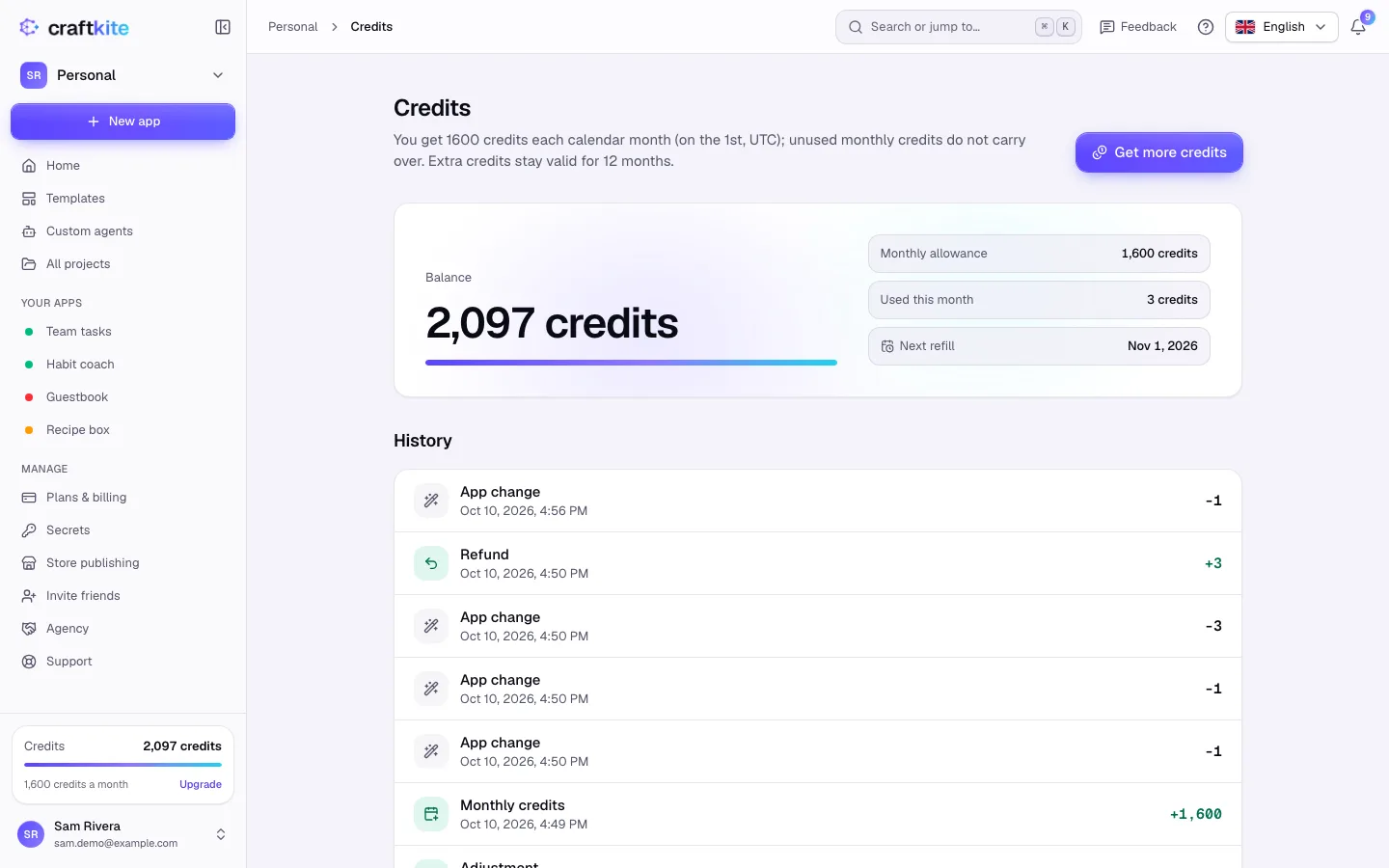
- See your Balance, the Monthly allowance, what you Used this month and the Next refill.
- Under History, every entry is listed: app changes, refunds, monthly credits, extra credits and more.
If a task fails
If a task fails because of us, its credits are returned automatically and the history shows a Refund. Large tasks stop at their credit limit so they cannot run away; you can continue them with one click.
Hosting live apps
Hosting can have a monthly price. When it does, the publish panel and the pricing page show it, and every live app is charged once a month, on the 1st (the Free plan hosts its first live app free). A few days before the charge we email you the number of live apps and the credits. Unpublish an app before then and it is not charged.
If your credits do not cover the charge, you get an email and a few days to add credits; the rest is taken automatically as soon as you have them. Apps that stay unpaid go offline afterwards. Their code and versions are always kept, and you can publish them again at any time.