
Your live app: status, visitors, logs and settings
See whether your published app is up, how many people visit it, what it logs and how it looks in tabs and link previews.
Updated October 12, 2026
Once an app is published, the Live app section of the Publish tab shows how it is doing.
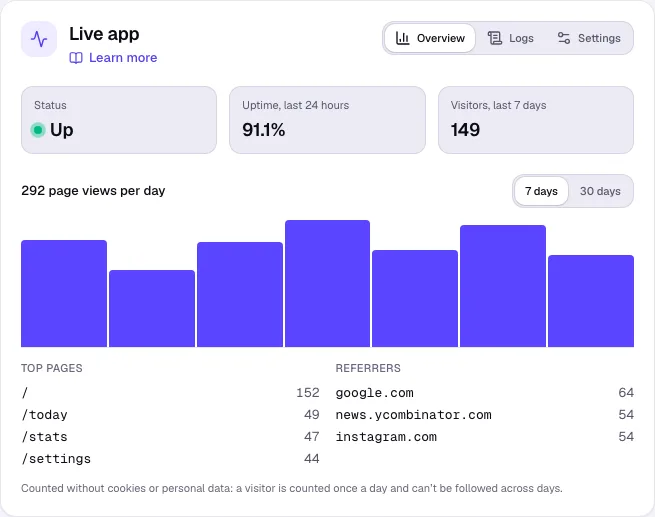
Overview
- Status – Up or Down, from regular checks of the app’s front page, and the Uptime, last 24 hours.
- Visitors and Page views per day for the last 7 or 30 days, with Top pages and Referrers.
Visits are counted without cookies or personal data: a visitor is counted once a day and can’t be followed across days.
Logs
Click Logs to see the app’s output from the last 24 hours. Search the logs, or turn on Follow to watch new lines arrive.
Settings
Under Settings, set how the live app appears in browser tabs and link previews: Title, Description, Icon (PNG, ICO or SVG) and Social preview image (1200 × 630 works best). Your app’s code is not changed; the settings apply with the next publish.
Steps when the app is down
- Open Logs and look for errors around the time it went down.
- Check the latest version in the preview. If it is broken, click Roll back under Deployments to republish the last good one.
- Ask Craftkite to fix the problem, then publish the update.