Credits and plans
Credits and plans explained
What credits pay for, where they come from, how to see what a task costs before it starts, and how to choose and change a plan.
By Craftkite Academy1 min read
Watch the video
Craftkite has one wallet for everything: credits. Building apps, writing documents, rendering videos and publishing posts all use credits from the same balance. This guide explains where credits come from, what uses them and how plans work.
1. See the price before you start
Every request shows its price first. Next to Build it, the studio shows how many credits a request like yours usually takes; the plan you approve shows an estimate and a credit limit. Document actions, AI images, renders and publications show their fixed price on the button. The full list is the credit table on the Pricing page.
2. Know where credits come from
- Monthly credits from your plan are added on the 1st of each calendar month (UTC). Unused monthly credits do not carry over.
- Extra credits you buy stay valid for the number of months shown on Pricing and are used after the monthly ones.
- Yearly credits of a prepaid yearly plan are loaded up front.
- Referral rewards when a friend you invited builds their first app.
The Free plan includes a small monthly allowance with a daily limit.
3. Check your balance and history
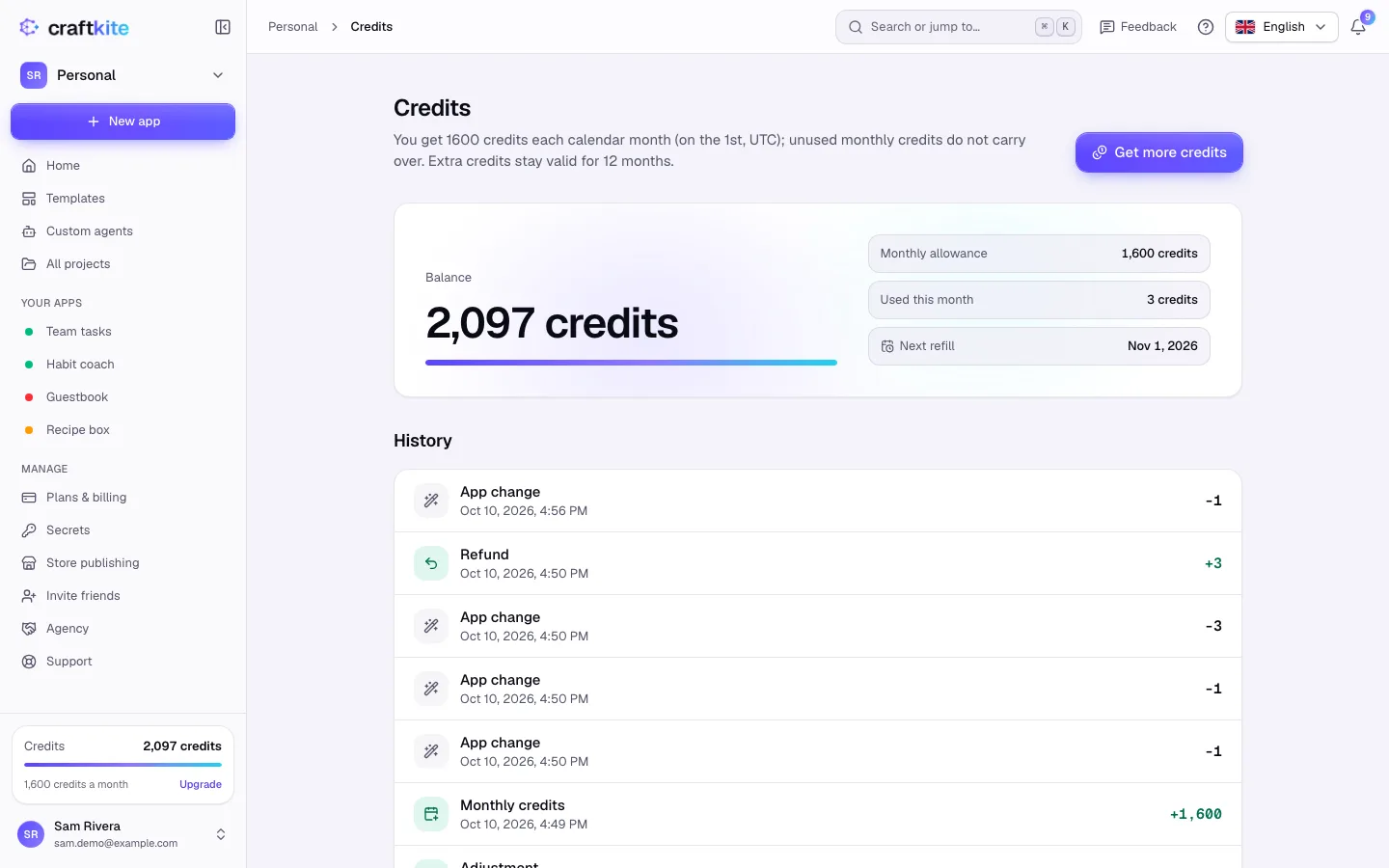
Click Credits at the bottom of the side menu. You see your Balance, the Monthly allowance, what you Used this month and the Next refill. History lists every entry: app changes, refunds, monthly credits, extra credits and more.
4. Know what happens when something fails
If a task fails because of us, its credits are returned automatically and the history shows a Refund. Large tasks stop at their credit limit so they cannot run away; you can continue them with one click.
5. Choose and change your plan
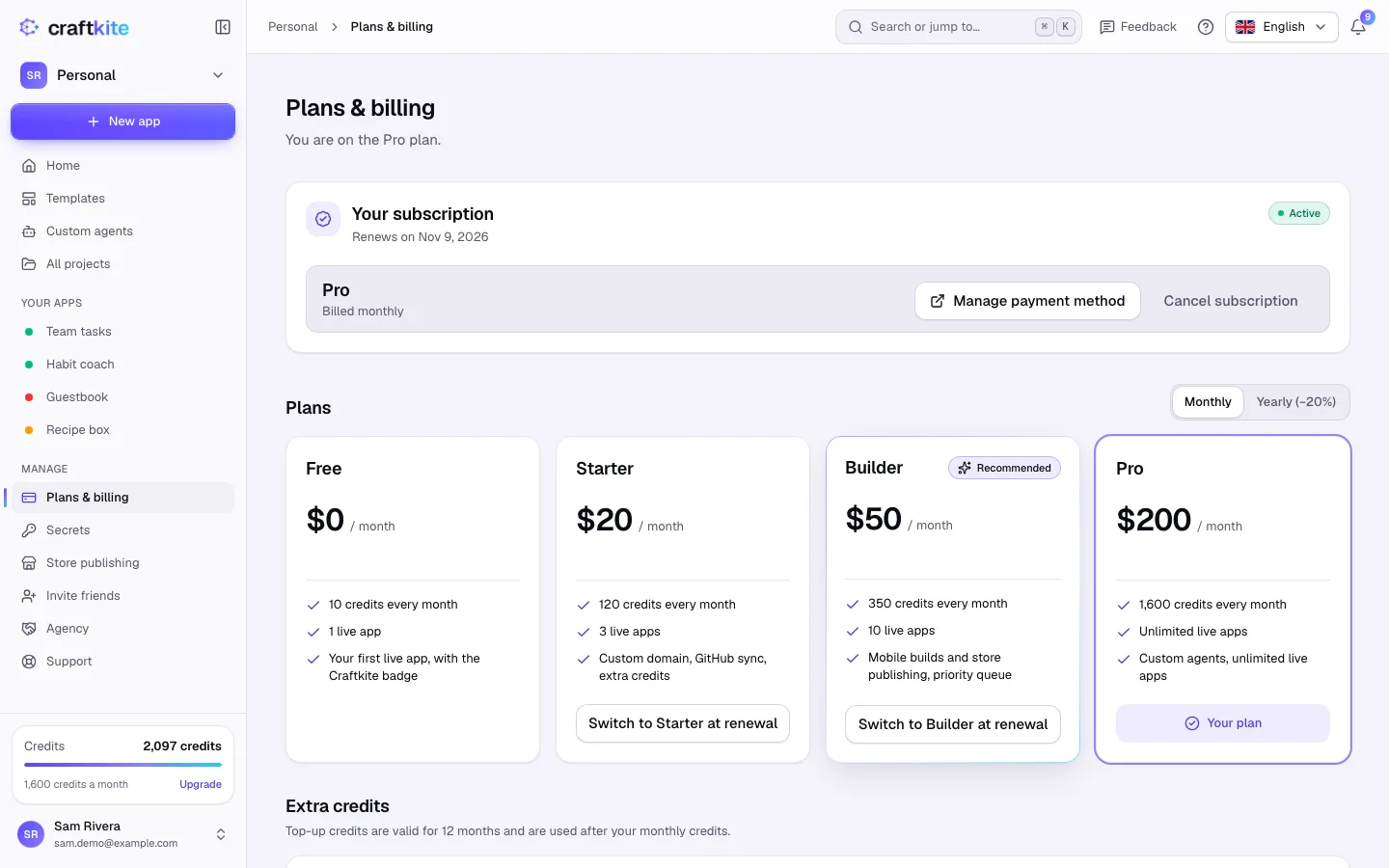
Open Plans & billing to compare plans. An upgrade applies at once: you pay the difference for the rest of the period and get the new credits now. A move to a smaller plan happens at renewal, and you keep your current plan until then.
Quick guide
Questions about this guide
Do unused credits roll over?
Unused monthly credits do not carry over to the next month. Extra credits you buy stay valid for the number of months shown on Pricing.
What is free?
Restoring versions, duplicating projects, starting from free templates, editing documents by hand, presenting, exporting and sharing use no credits.
What if I run out of credits in the middle of a task?
A task stops at its credit limit and keeps everything written so far. Add credits or raise the limit, then click Continue.
Can I cancel or downgrade at any time?
Yes. A downgrade takes effect at renewal, and when a paid plan ends your projects are kept; projects beyond the Free plan become read-only, nothing is deleted.