Documents
How to create a CV and a presentation with AI
Craftkite writes documents as well as apps. Create a CV from a few sentences or your old CV, tailor it to a job, make a slide deck and export to PDF, Word or PowerPoint.
By Craftkite Academy1 min read
Craftkite writes CVs and presentations as well as apps. The result is a real document you edit on the page, keep versions of and export. The AI never invents facts about you: employers, dates, degrees and numbers come only from what you wrote or uploaded.
1. Start a CV
On Home, choose CV in the menu under the description field. Describe the role you are aiming for, your experience, education and skills, or pick one of the CV templates (free to start), or start blank. Craftkite writes a short plan first; approve it and it writes the CV in the language you chose.
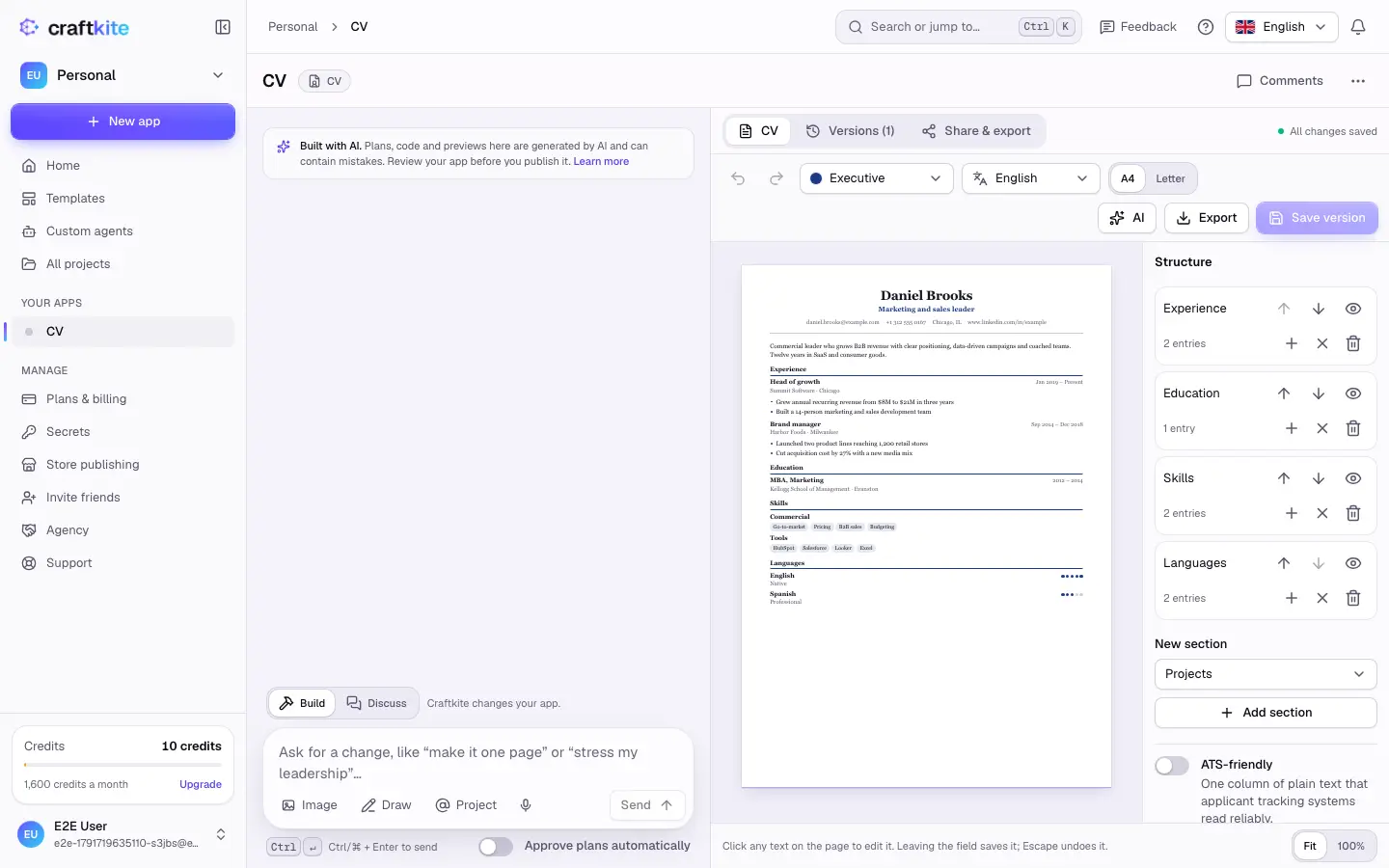
Where something is missing, you see a placeholder in square brackets, such as “[Company]”, to fill in.
2. Edit it and tailor it to a job
Click any text on the page to change it. Structure reorders, hides or adds sections, and ATS-friendly turns the CV into one column of plain text that applicant tracking systems read reliably. In the AI menu, Import my CV reads your current CV from a PDF, Word file or photo, and Tailor to a job reorders and rephrases it truthfully for a job posting you paste. Each action shows its price.
3. Start a presentation
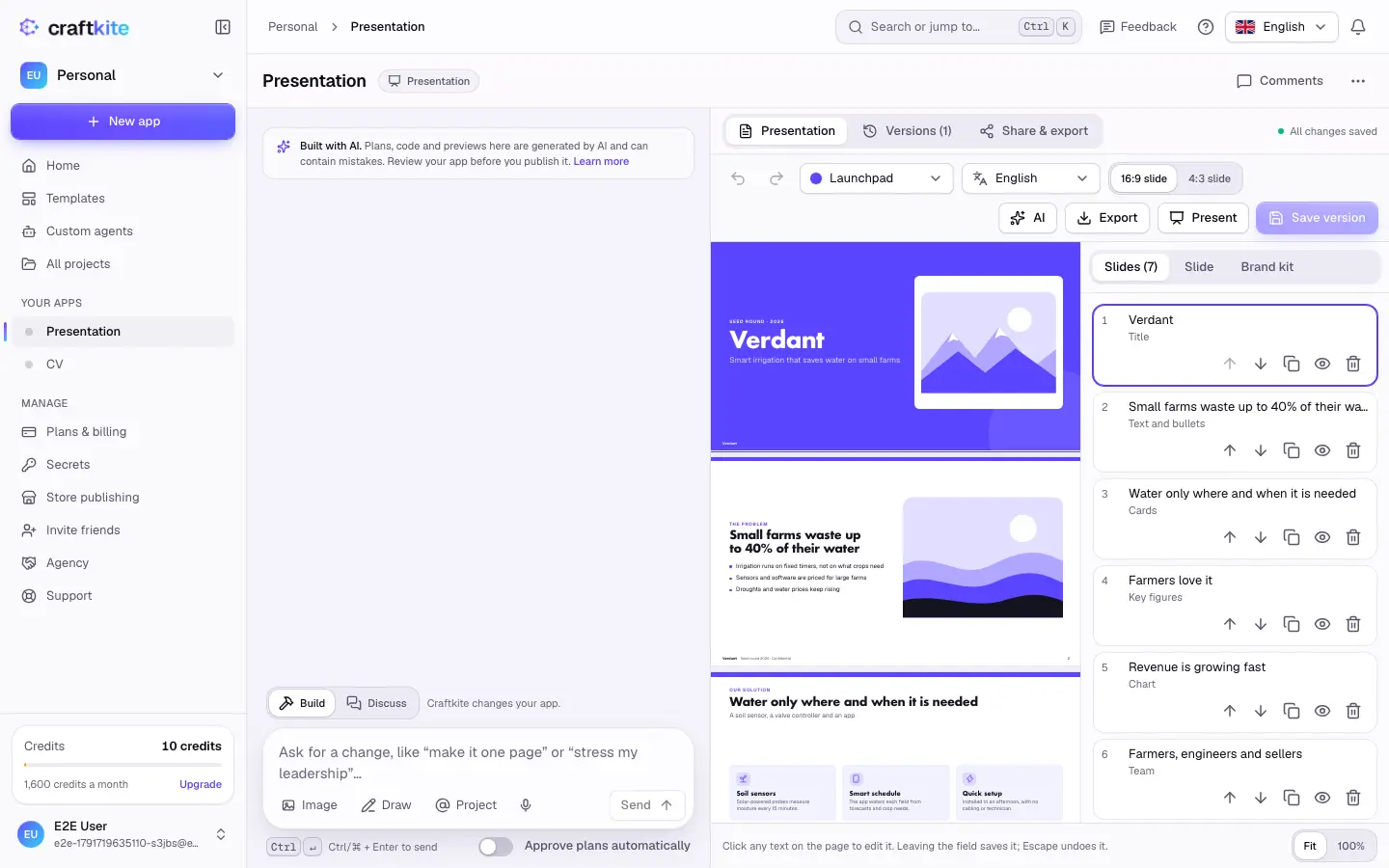
On Home, choose Presentation. Describe the topic, the audience and the length, or pick a presentation template. To build slides from material you already have, open the AI menu and choose Turn a document into slides.
4. Edit slides and your brand kit
Click any text on a slide to change it. Slides reorders, duplicates, hides or adds slides; Slide sets the layout, background, picture and speaker notes; Brand kit sets colours, fonts, logo and footer for the whole deck. Pictures can be your own, built-in icons and illustrations, or AI images where your plan includes them.
5. Present and export
Present right in the browser, or export: CVs as PDF or Word, presentations as PDF or PowerPoint. Editing by hand, saving versions, presenting, exporting and sharing are free.
Questions about this guide
Will the AI make up experience I do not have?
No. It only uses facts you wrote or uploaded and marks missing details with placeholders such as [Company].
Can I import my existing CV?
Yes. Use Import my CV in the AI menu with a PDF, a Word file, text or a photo of your CV.
Which formats can I export?
CVs export as PDF or Word, presentations as PDF or PowerPoint. Exporting is free.
Do AI images cost extra?
Yes, each AI image has a fixed price shown on the button, and it is refunded if the image fails on our side. AI images are a plan feature.