Publishing
How to publish your app and use your own domain
Put your app online with one click, update or roll it back, and serve it on a domain you own with two DNS records and automatic HTTPS.
By Craftkite Academy2 min read
Publishing puts the current version of your app online at its own address. Your preview and code stay private; the published app is public to anyone with the link. This guide covers the first publish, updates and rollbacks, and connecting your own domain.
1. Publish the app
Build the app at least once, then open the Publish tab and click Publish. Publishing usually takes under a minute. When it shows Live, copy the address with Copy link and share it.
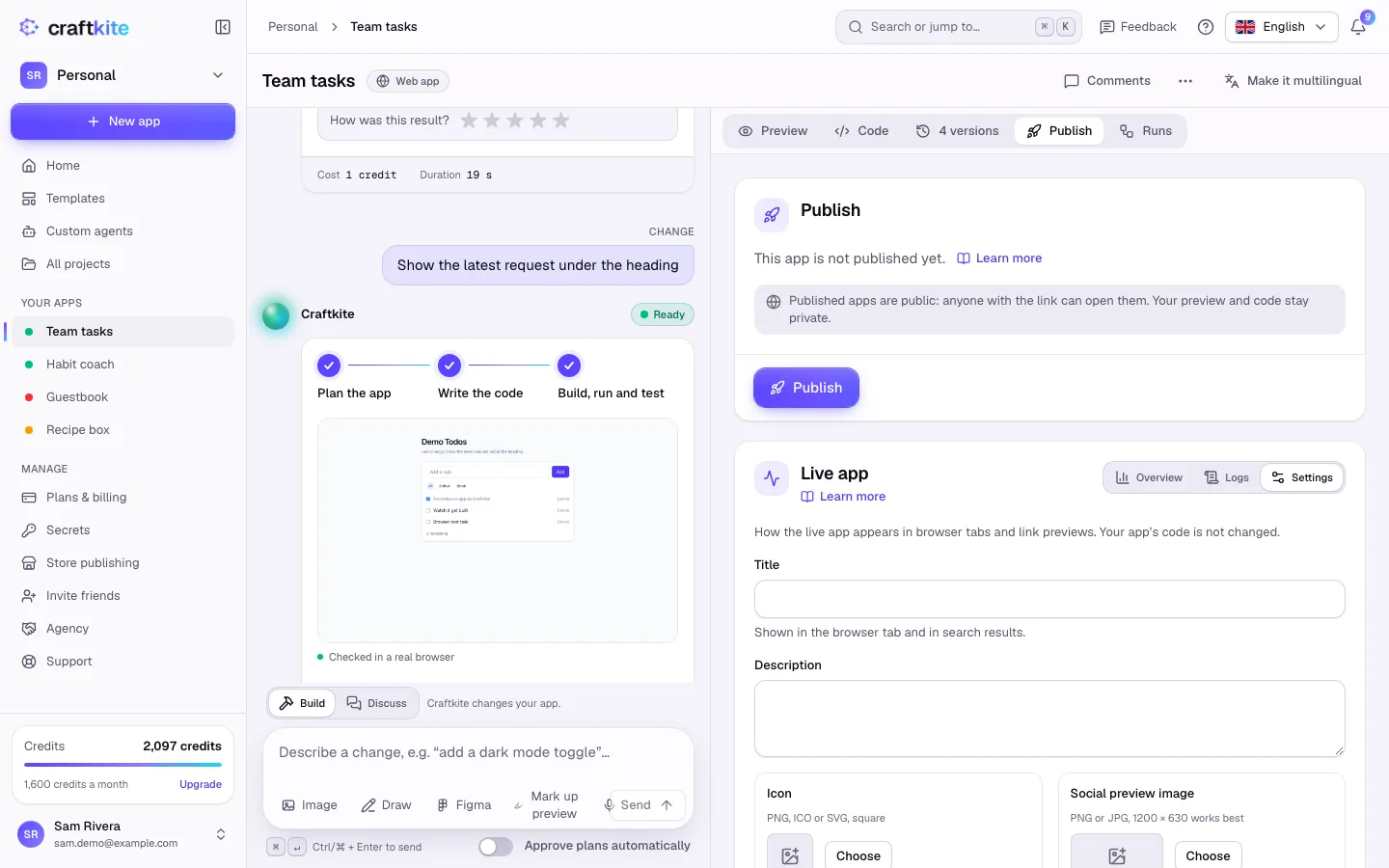
Before anything goes live, Craftkite checks the code for keys written into it. If it finds one, move the key to Secrets and publish again.
2. Update or roll back
After further changes, click Publish update to bring the live app up to date. Deployments lists every publish: click Roll back on an earlier one to put it live again. Unpublish takes the app offline; the project and its versions stay.
For apps with a database, if a new version would delete data your users created, you see This update would remove live data before it goes out, and the live data is backed up first if you continue.
3. Add your own domain
On plans that include custom domains, open the Publish tab and, under Custom domains, enter the domain, for example app.example.com. Click Add domain.
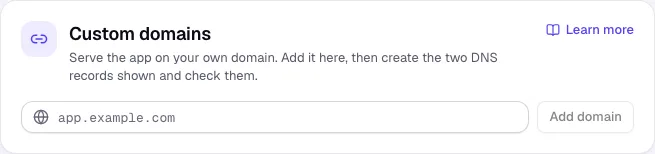
4. Create the two DNS records
At your domain provider, create the two records Craftkite shows: a CNAME record that points the domain to Craftkite and a TXT record that proves you own it.
5. Check DNS
Click Check DNS. When the domain shows Active, it serves your app. HTTPS certificates are issued automatically. DNS changes can take from a few minutes to a few hours; if the TXT record is not found yet, wait and check again.
Good to know
- Each plan allows a number of live apps; see Pricing.
- On the Free plan, published apps show a small “Built with Craftkite” badge; paid plans remove it with the next publish.
- An app can have up to 5 domains, and a domain can be used by one app only.
- You can also publish a web app to your own Vercel, Netlify or Cloudflare Pages account.
Questions about this guide
How long does publishing take?
Usually under a minute. The Publish tab shows Live when the app is online.
Do I need to set up HTTPS myself?
No. Certificates for your own domain are issued automatically once the DNS records are found.
What happens to my app if I unpublish it?
It goes offline, but the project, its code and all its versions are kept. You can publish it again at any time.
Can I go back to an earlier version of the live app?
Yes. Open Deployments and click Roll back on the version you want.