
Get help from our team
Ask the assistant, open a support request from the studio and follow the answers by email.
Updated October 12, 2026
Most questions are answered in this help center. On the help center’s home page, Ask the Craftkite assistant: it answers from these articles in your language and links the articles it used.
Steps to open a request
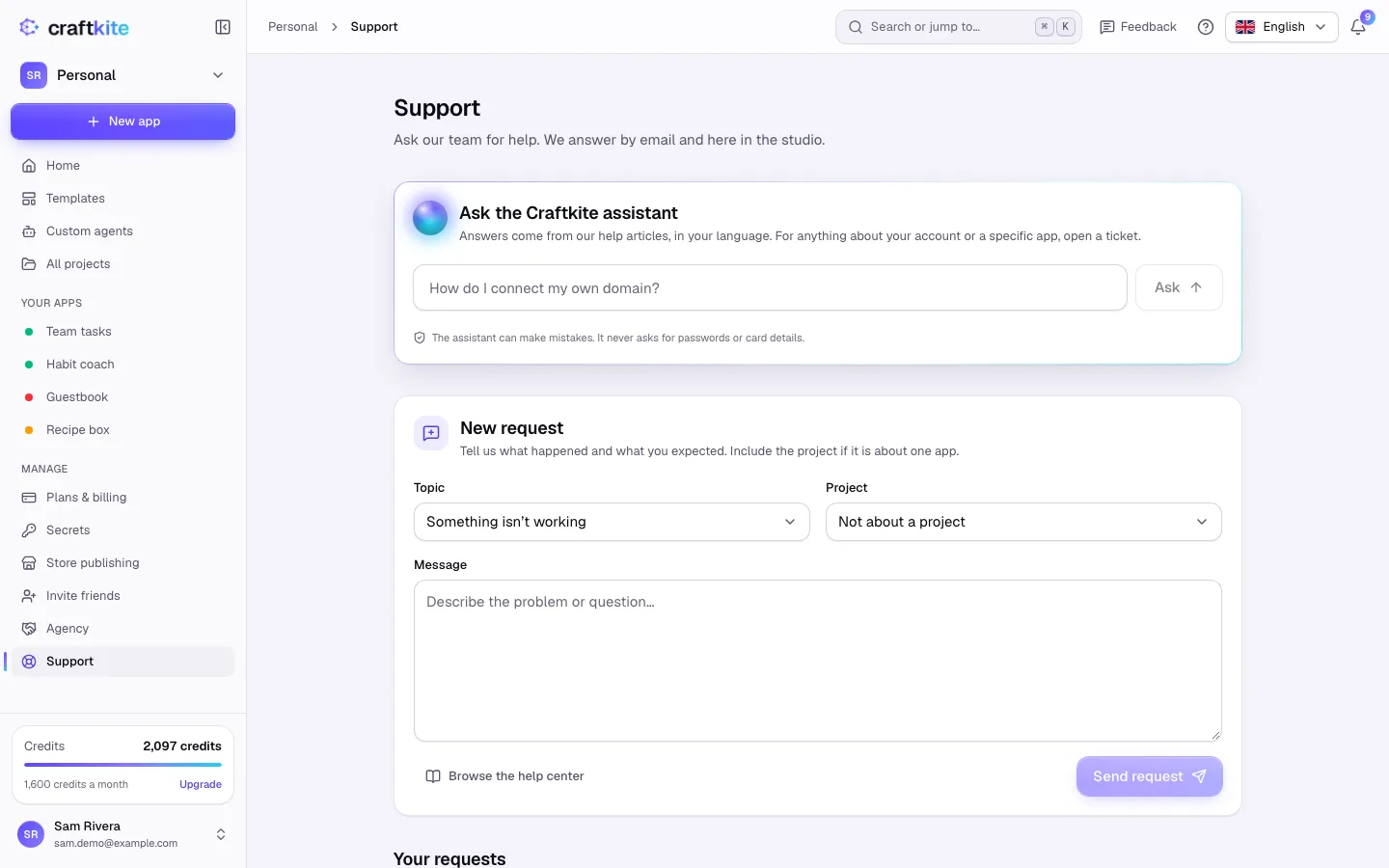
- Open Support in the side menu and go to New request.
- Choose a Topic: plans and billing, something isn’t working, publishing and domains, mobile apps, account and privacy, or something else.
- If it is about one app, choose the Project.
- Describe what happened and what you expected, then click Send request.
Follow up
- Your requests lists every request: Open, Answered or Closed.
- We answer by email and in the studio; you get a notification when we reply.
- Reply in the request to add details. Writing in a closed request reopens it.
Paid plans get faster answers. To solve a problem in an app, our support team may need to open your project; that access is time-limited and recorded under Account → Privacy.
Ideas or feedback that are not a problem? Use Feedback in the top bar: the team reads every message.