
Notifications
What Craftkite tells you about, and how to choose between the studio, push and email.
Updated October 12, 2026
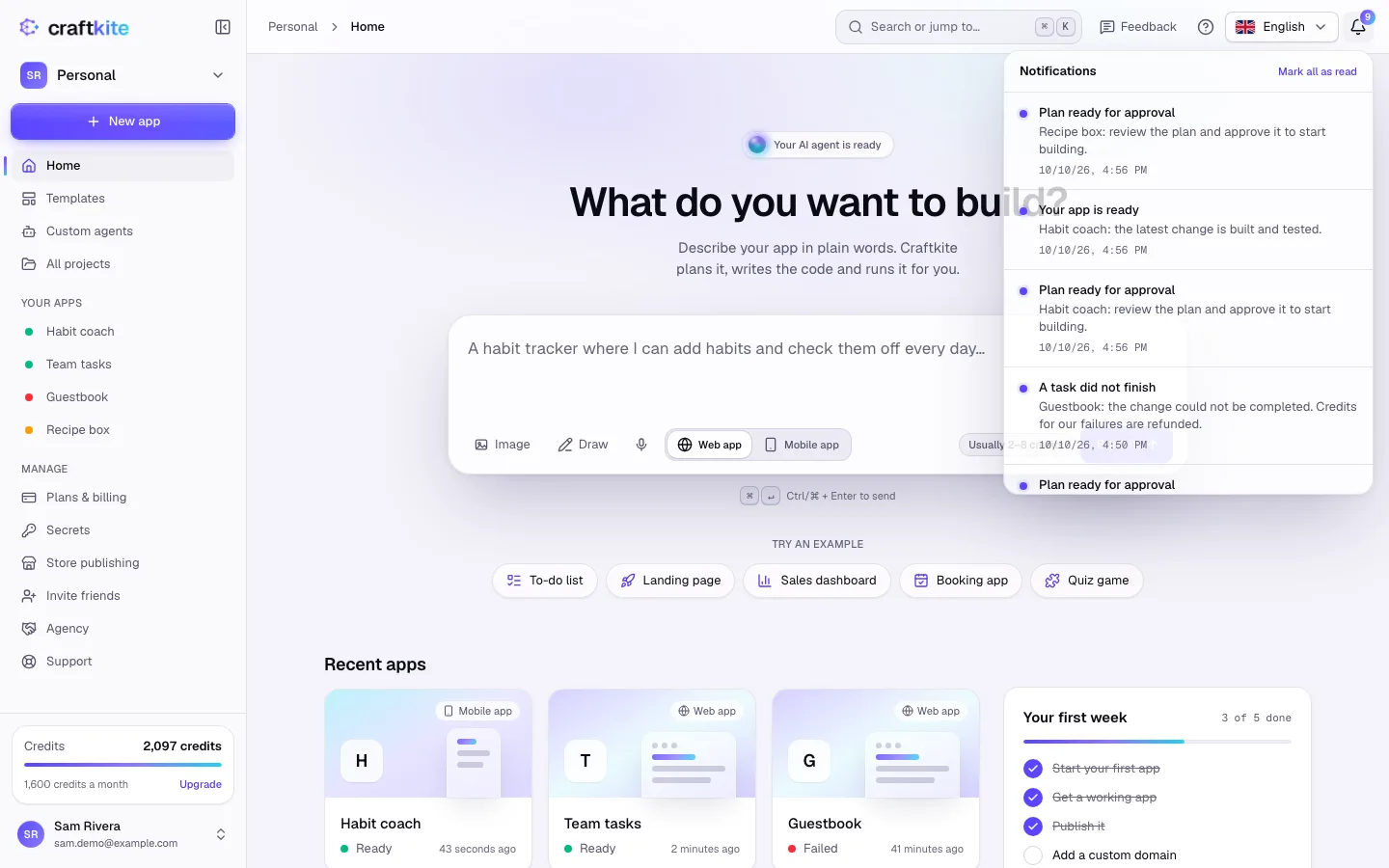
The bell in the top bar shows your notifications; the number is how many are unread.
What you are told about
- Your app is ready and A task did not finish.
- Plan ready for approval, so you can approve it and start building.
- Credits running low, payment problems and card expiry.
- Support answered your request.
- Mentions and replies in project comments.
- Your app is live or Publishing did not finish, after you publish.
- Store builds: ready, sent to the store, or did not finish.
- Invitations to a team.
Steps to choose how we reach you
- Open Account → Notifications.
- For each kind of notification, tick Push and Email as you like. Notifications always appear in the studio.
- Your choices are saved right away.
Task and publish emails are sent only when you are not in Craftkite at the time. To read everything at once, click Mark all as read.
Emails that are always sent
Some emails are part of your account and billing, so they cannot be turned off:
- Credits used up: when all of this month’s credits are spent.
- Payment problems: a payment that did not go through (on days 1, 3, 7 and 14) and a card that is about to expire.
- Receipts, security emails (sign-in links, password resets) and replies from support.
The Credits running low email switch covers the warnings at 50 % and 80 % of the month’s credits. In the studio and the app you are told at every step.