
Plans, upgrades and downgrades
Compare plans, change your plan and see how upgrades, downgrades and pauses are billed.
Updated October 12, 2026
Plans & billing in the side menu shows your plan, your subscription and every plan side by side.
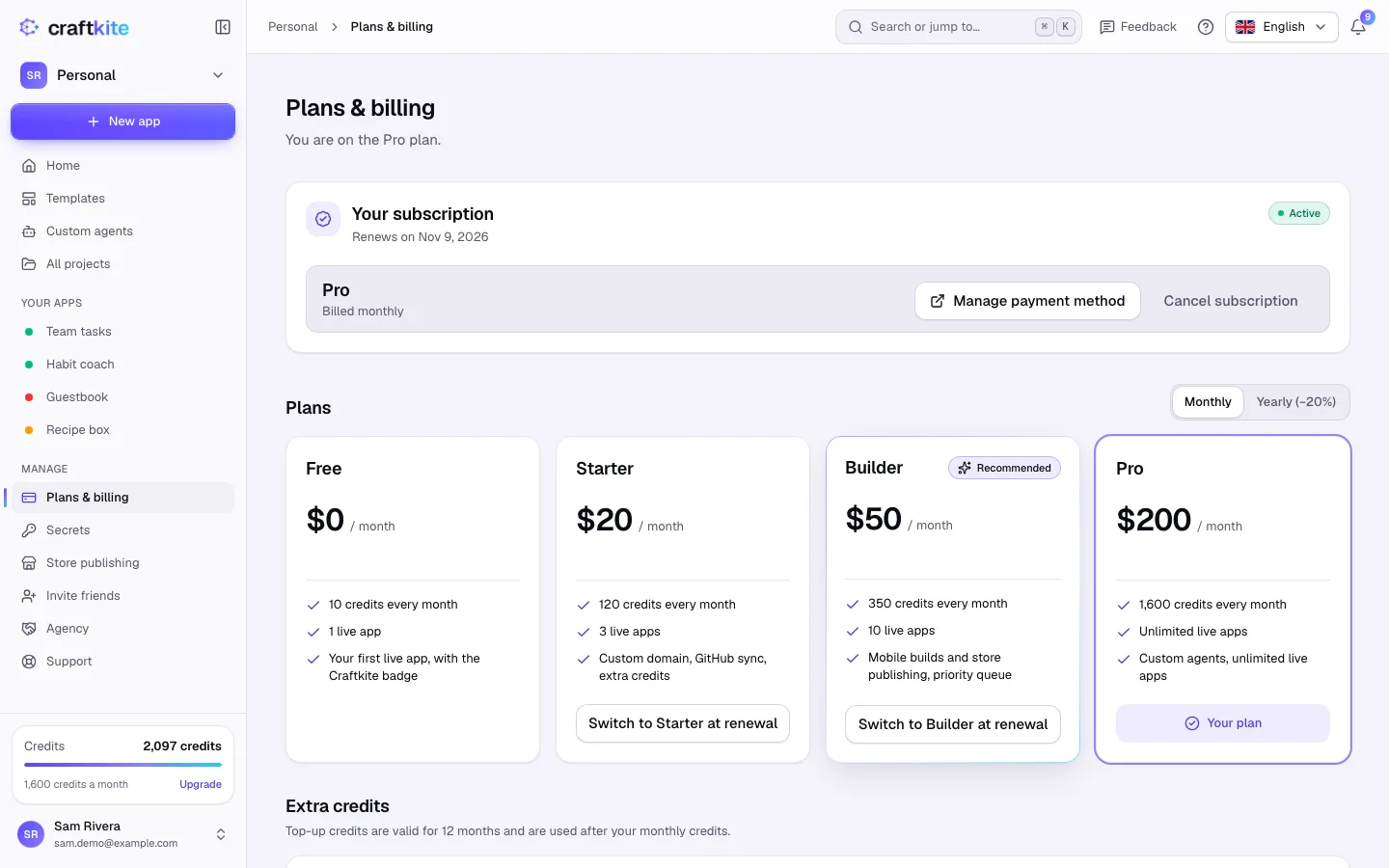
The plans
- Free – the plan everyone starts on, with a daily credit limit.
- Paid plans – more credits, more live apps and more features.
- Team – shared projects and a shared credit pool for a team; see teams.
The current plans, with their prices, credits, limits and features, are always listed on Pricing and under Plans & billing. Each card shows the price, the monthly credits, the limits and what the plan includes. Switch between Monthly and Yearly to compare; the yearly switch shows how much you save.
Steps to change your plan
- Open Plans & billing.
- Click Upgrade to … on a bigger plan. An upgrade applies at once; you pay the difference for the rest of the period and get the new credits now.
- To move to a smaller plan, click Switch to … at renewal. You keep your current plan until then. Changed your mind? Click Keep ….
When you have more live apps than the new plan allows
Before a downgrade takes effect, Choose which apps stay live. If you don’t pick, the most recently created stay live. When a paid plan ends, projects beyond the Free plan become read-only: you can still open and export them, and nothing is deleted.
Coupons and discounts
Click Have a coupon? at checkout to enter a code. Students may get a discount automatically.
Payments are handled by our payment partner as merchant of record, which also takes care of invoices and sales tax. Bought your plan in the Craftkite iPhone or Android app? Change or cancel it in the App Store or Google Play.