
Make a presentation
Describe a deck or turn a document into slides, edit slides and your brand kit, present in the browser and export PDF or PowerPoint.
Updated October 12, 2026
Craftkite makes slide decks: pitch decks, sales proposals, reports, lessons and more. The AI writes the slides from your description or from a document you upload; you then edit every slide, apply your brand and present right in the browser.
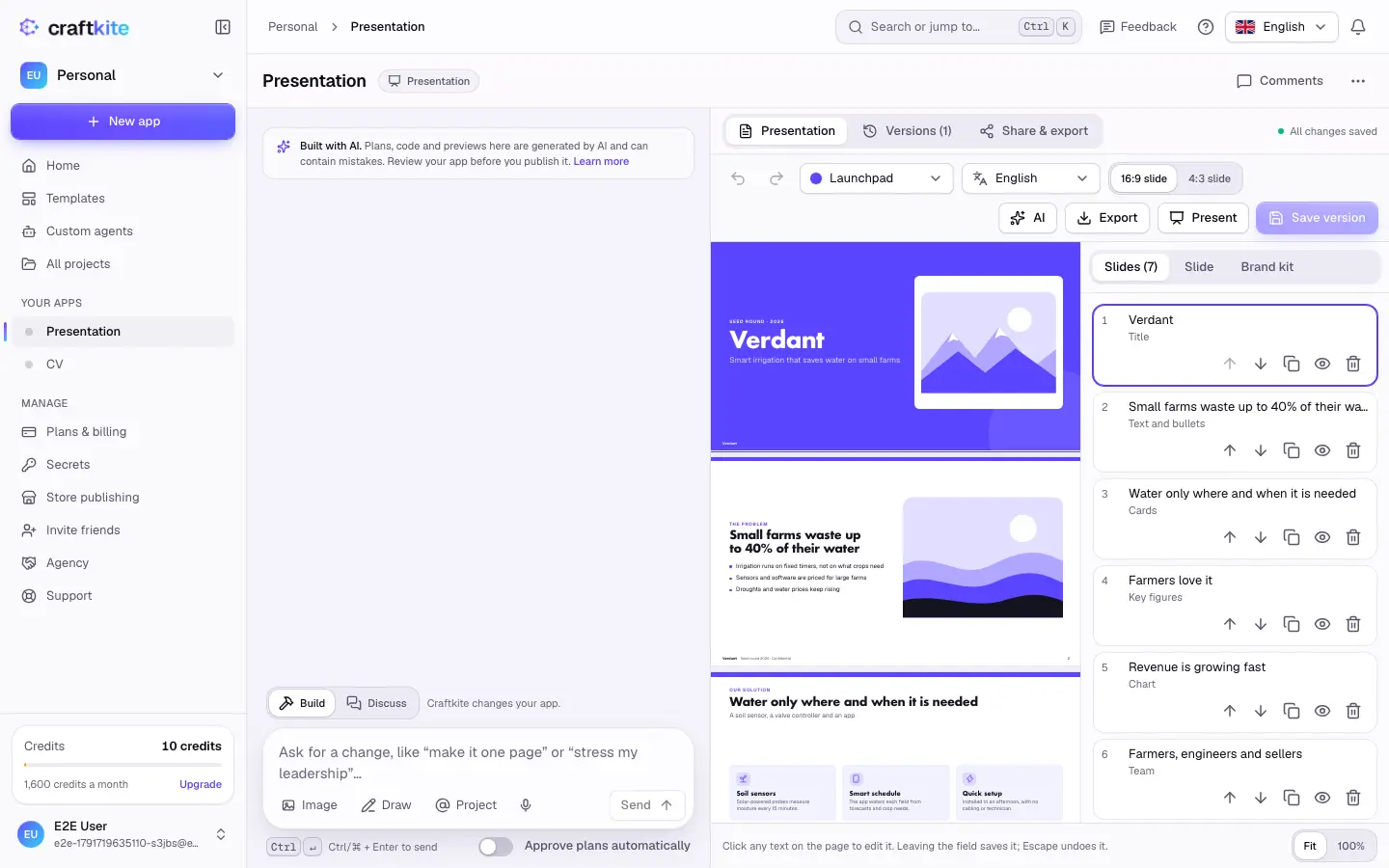
Start a presentation
- On Home, choose Presentation under the description field.
- Describe the topic, the audience and the length, or pick one of the presentation templates (free to start).
- Approve the plan Craftkite writes first. Then it writes the slides.
To build slides from material you already have, open the AI menu and choose Turn a document into slides: upload a PDF, a Word file, a photo or paste text. The key messages become slides; the plan comes first, as always.
Edit slides
- Click any text on a slide to change it.
- Slides lists every slide: change the order, duplicate, hide or delete slides, and add new ones.
- Slide sets the selected slide’s layout (title, agenda, two columns, cards, quote, key figures, chart, timeline, team and more), its background, its picture, the items of cards and lists, the chart’s data and your speaker notes. Switching a layout never loses text.
- Brand kit sets the style, colours, fonts, spacing, logo, footer text and slide numbers for the whole deck.
Pictures can be your own uploads, one of the built-in icons and illustrations (drawn in your colours), or an AI image (see AI images).
Change it with AI
Type a change in the chat, or use the AI menu: Make it shorter, Make it longer and Rewrite in another language. Each action shows its price in the menu; editing by hand is free.
Present, export and share
- Present shows the deck full screen. Use the arrow keys; the speaker view shows your notes, the next slide and a timer.
- Export gives you a PDF (one slide per page), a PowerPoint file whose texts, charts and notes stay editable, or an image of the first slide.
- Share & export creates a read-only web page with a slide viewer that works on phones too.
Exports, presenting and sharing are free.