Plan social media content
Create a set of posts, stories and carousels in your brand, with captions and hashtags, plan them on a calendar and export the images.
Updated November 22, 2026
A social media set is a campaign of posts: square and portrait posts, stories, carousels, covers and banners, each with its design, caption, hashtags, platforms and a planned date. Craftkite designs and writes them. You download them and post them yourself or, if your plan includes social publishing, Craftkite publishes them to the accounts you connect, only at the times you schedule.
Start a set
- On Home, choose Social post under the description field.
- Describe what you promote, for whom, how many posts and when, for example “10 posts for my coffee shop’s autumn campaign, two a week from October”. Or start from a template.
- Approve the plan. The AI writes the posts, designs them in your brand and plans their dates.
Edit designs and captions
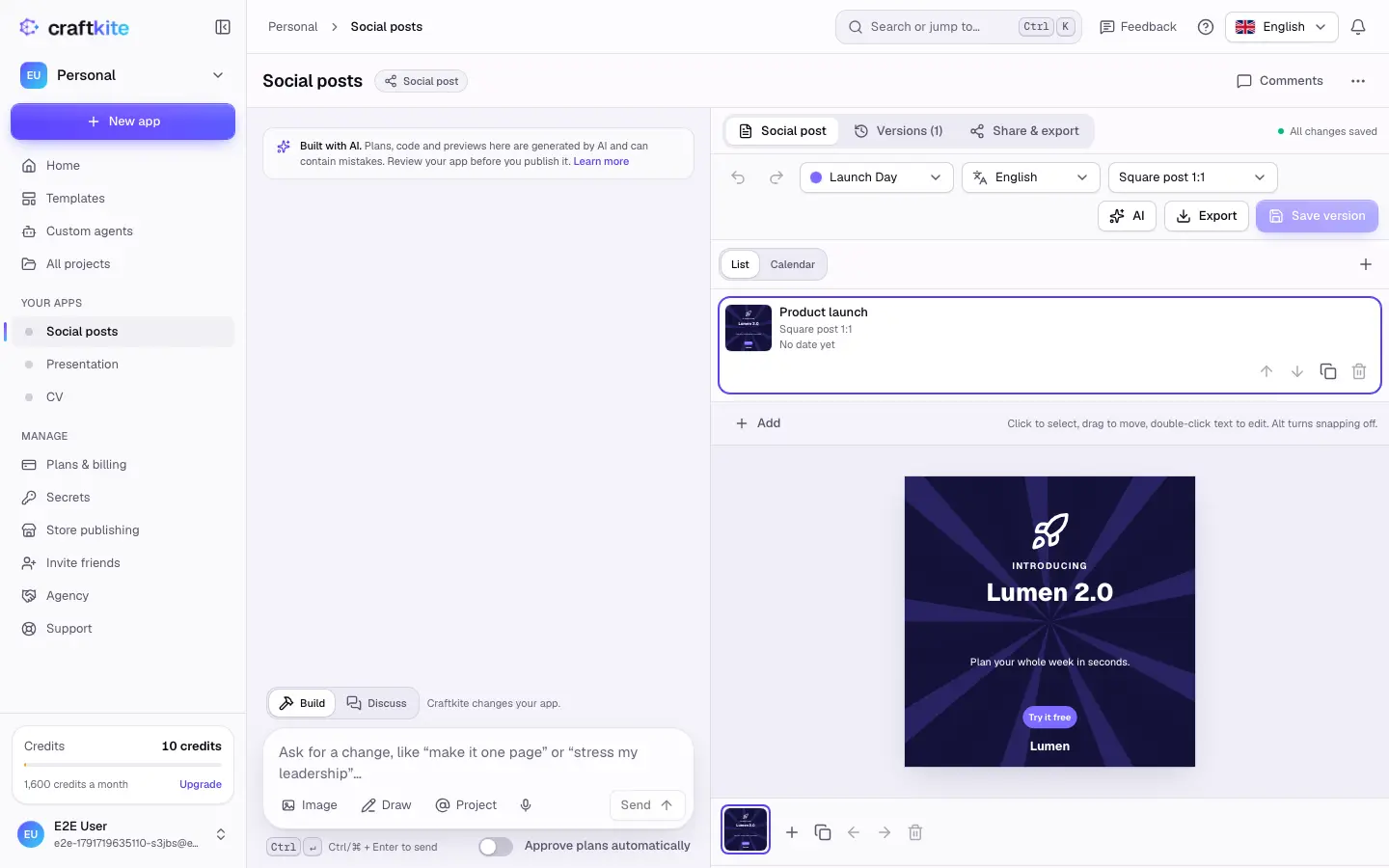
- Posts lists the set; switch to Calendar to plan dates by dragging posts onto days.
- The canvas shows the selected design. Click to select a layer, drag to move it, double-click text to edit it. Safe zones show where apps cover a story.
- Design adds text, shapes, images, your logo, icons and illustrations, and changes colours and fonts.
- Caption holds the text, hashtags and target platforms. The counters show each platform’s limits.
- Brand kit sets the name, handle, website, logo, colours and fonts used by every design in the set.
- Change a post’s Format (square, portrait, story, landscape, link image, cover or banner); designs adapt without distortion.
Change it with AI
The AI menu can change one post or all posts, rewrite the caption tone, write a new campaign or make an AI image for a design (see AI images). The price of each action is shown in the menu. When you change one post, the others stay as they are.
Export
Export gives you a PNG or JPG of the current design at the exact pixel size of its format, a carousel as a ZIP of PNGs or a PDF, all designs at once, and the captions as a spreadsheet (CSV) or text file. You can also share the set as a read-only web page. Exports and sharing use no credits. On the Free plan images carry the holographic Craftkite badge in the bottom-right corner and are at preview resolution; paid plans export clean, full-size files.