
AI images in documents
Describe a picture for a slide or a social design and the AI draws it. See what it costs, what is sent and what happens when it fails.
Updated October 12, 2026
In presentations and social media sets you can ask for an AI image: describe the picture and Craftkite draws it in the shape you need. AI images are optional; uploads, icons and illustrations are always free.
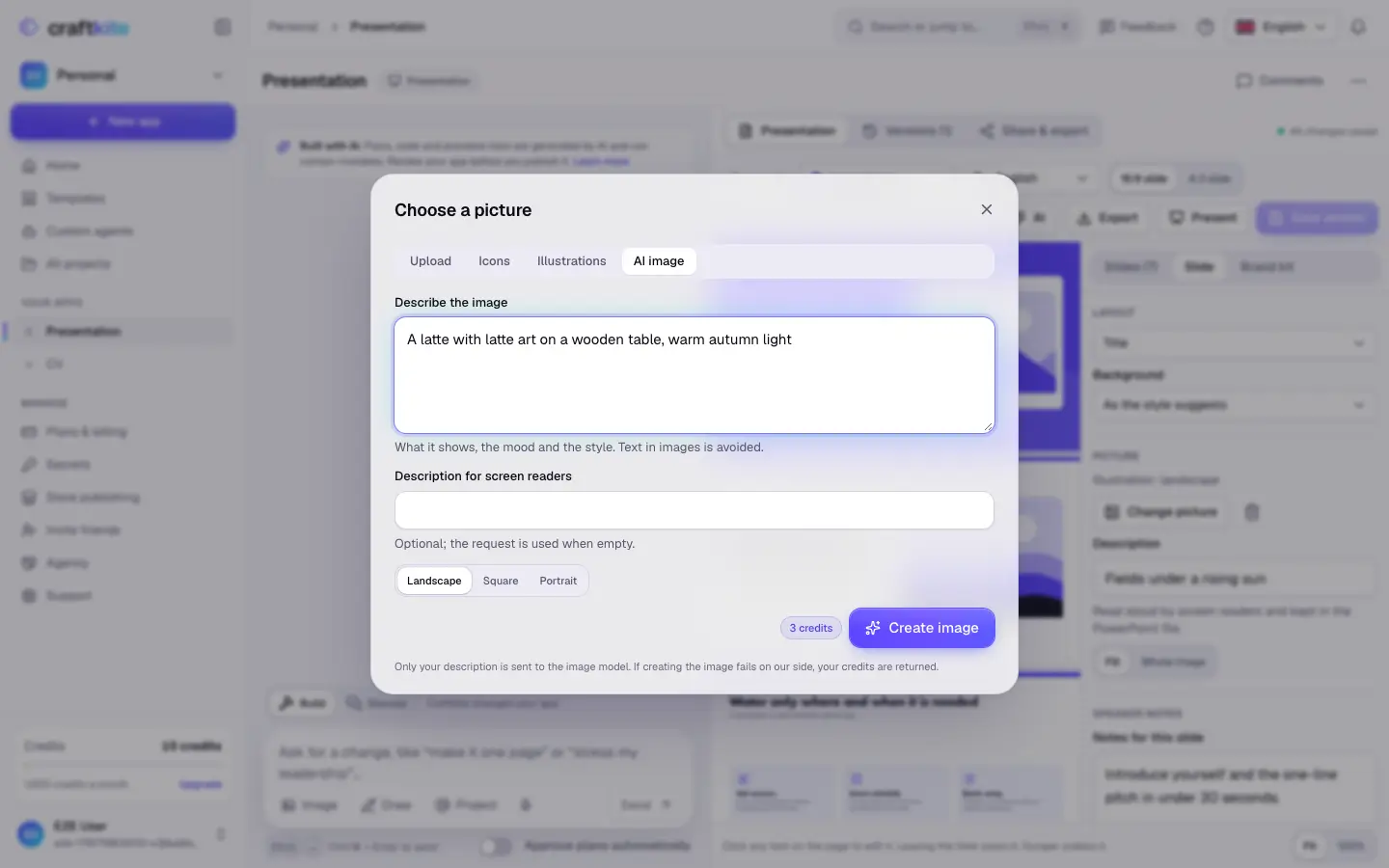
Make an image
- In a presentation, select a slide and open Picture (or a card’s picture); in a social set, choose AI → AI image, or add an image layer.
- Choose AI image.
- Describe what it shows, the mood and the style, for example “a latte with latte art on a wooden table, warm autumn light”. Text inside images is avoided, so put words on the slide or design instead.
- Choose the shape (landscape, square or portrait) and click Create image.
The image is stored with your document, in your data region, and is erased with it.
What it costs
Each AI image uses credits. The price is shown on the button before you create it. If creating or storing the image fails on our side, the credits are refunded automatically.
On the Free plan AI images also count toward the daily credit limit. Whether AI images are available depends on your plan; the button tells you when they are not.
Privacy
Only your description is sent to the image model, never your document or other pictures. The description is kept with the image so you can see what you asked for. Generated images may contain mistakes; check them before you publish.