
Secrets and integrations
Keep API keys in the encrypted secret vault and switch on payments, email, AI, maps or analytics for your app.
Updated October 12, 2026
Apps often need keys for other services. Craftkite keeps them out of your code.
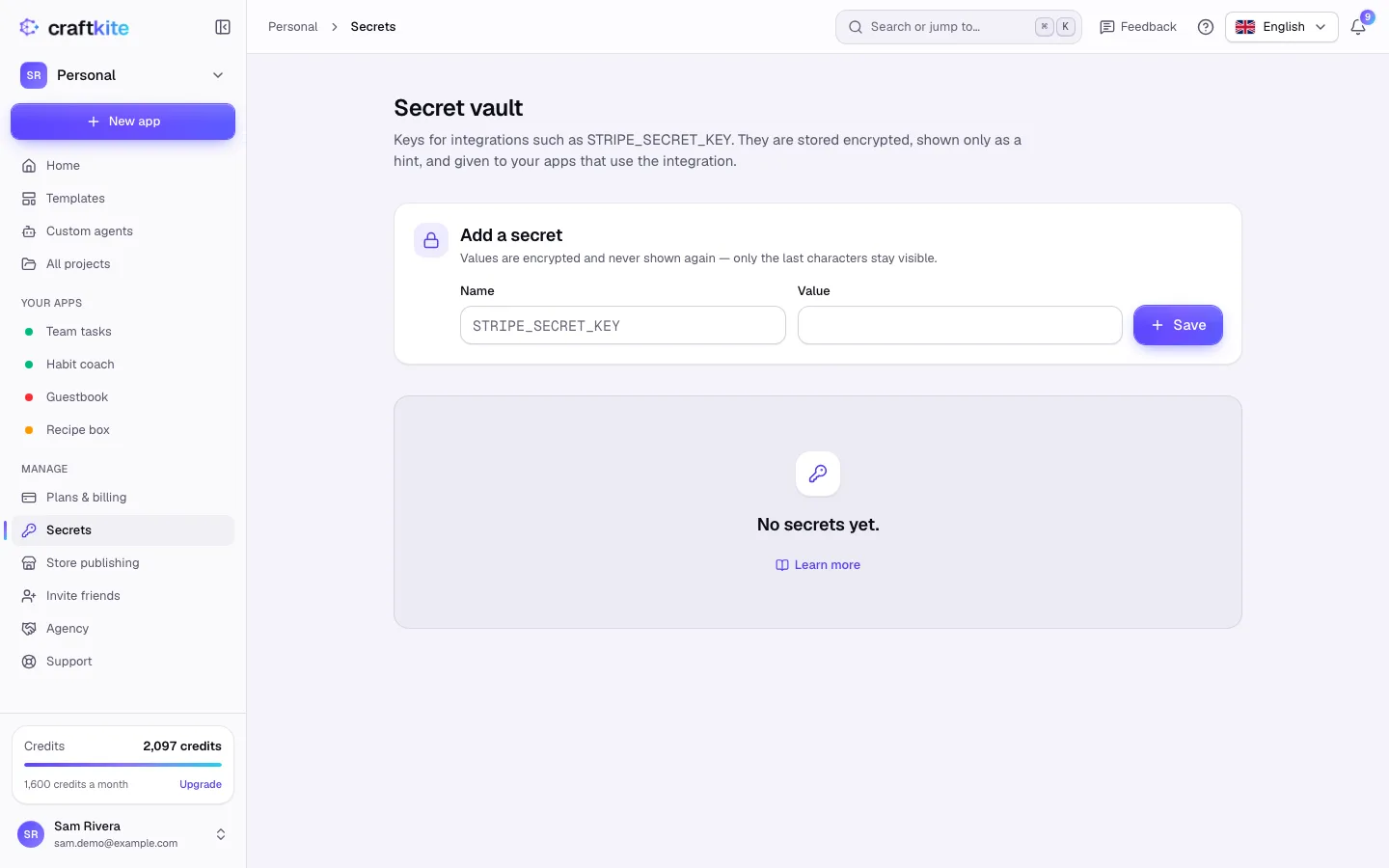
Add a secret
- Open Secrets in the side menu.
- Under Add a secret, enter a Name in capital letters, digits and underscores (for example
STRIPE_SECRET_KEY) and the Value. - Click Save. The value is encrypted and never shown again; only the last characters stay visible.
Use an integration
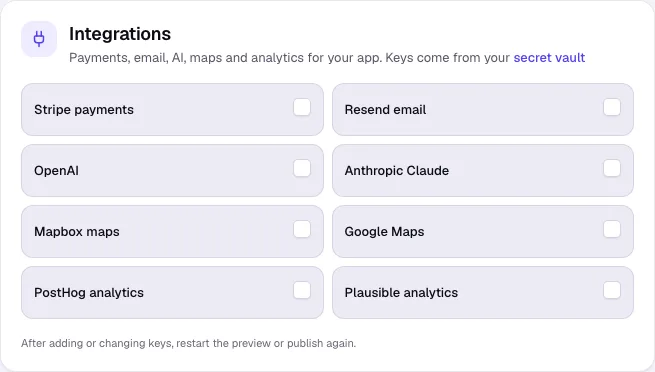
The Integrations section of a project’s Publish tab lists what you can add: Stripe payments, Resend email, OpenAI, Anthropic Claude, Mapbox maps, Google Maps, PostHog analytics and Plausible analytics.
- Tick Use … for the integration.
- If keys are missing, the card says which ones (Missing: …). Add them in Secrets.
- Ask Craftkite to build the feature, for example “add a Stripe checkout for the pro plan”.
- After adding or changing keys, restart the preview or publish again.
Environment variables
For other settings, add Environment variables in the Publish tab. They are available to the app as process.env, in previews and when published, and are stored encrypted.
Never paste keys into a message or into the code: published code is public, and Craftkite refuses to publish or push code with a key written into it.