
Review and approve the plan
Every request starts with a short plan. Approve it, ask for changes, set a credit limit or let plans be approved automatically.
Updated October 12, 2026
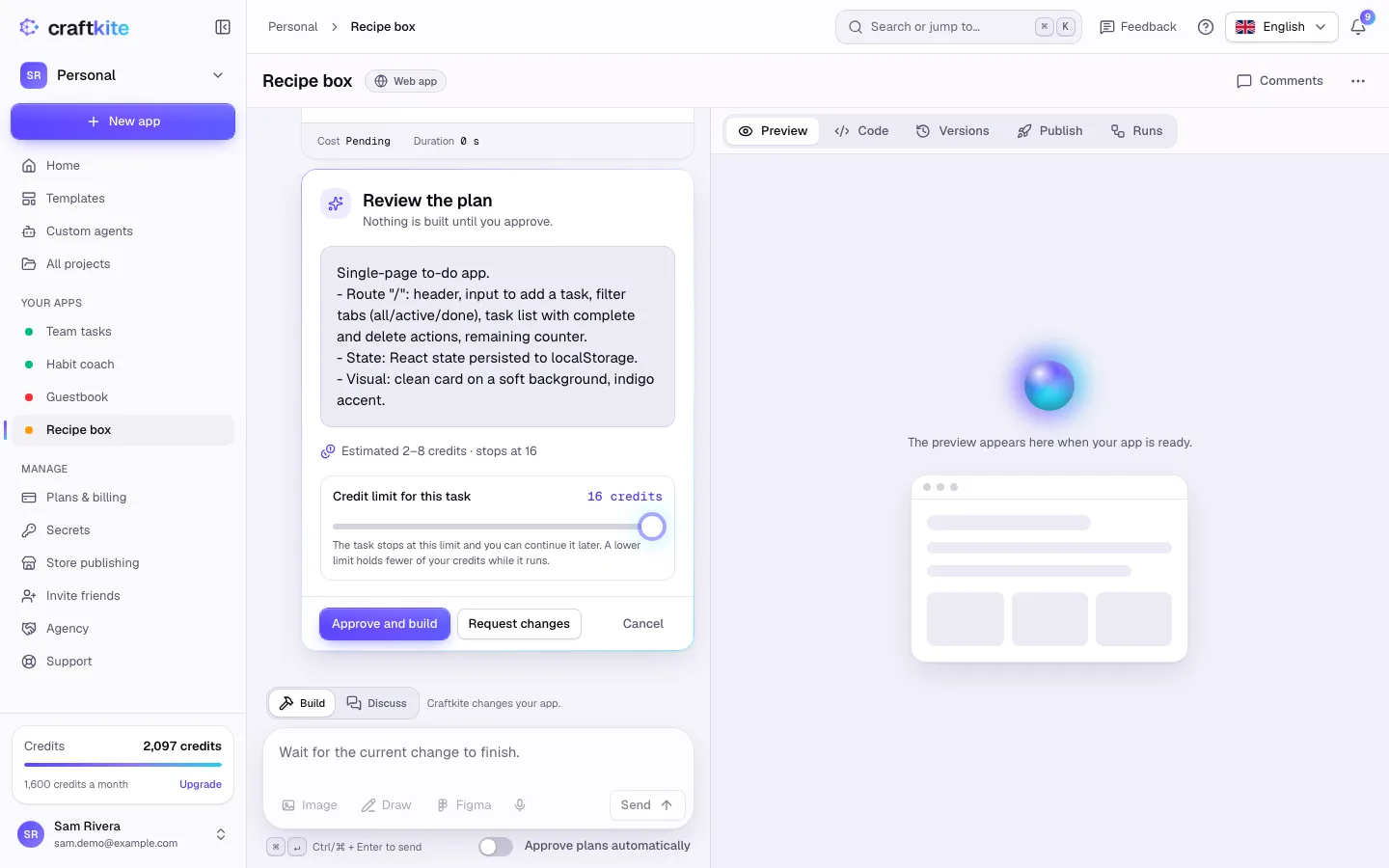
Before Craftkite writes any code, it shows you a plan in your language: the pages, the data and the features it will build. Nothing is built, and no credits are used for building, until you approve.
Steps
- Read the plan under Review the plan. Below it you see the estimate, for example “Estimated 2–8 credits · stops at 16”.
- Optionally move the Credit limit for this task. The task stops at this limit and you can continue it later; a lower limit holds fewer of your credits while it runs.
- Click Approve and build to start.
- If the plan is not right, click Request changes, write what should change (for example “use a dark theme and add a settings page”) and click Revise the plan.
- Click Cancel to drop the request.
While it builds
- Note to the agent: send a short note, for example “use a blue header”. The agent reads notes at its next step.
- Pause and Resume: the agent stops after its current step and keeps the workspace until you resume. A task paused for too long stops and its credits are refunded.
If a task reaches its credit limit
Everything written so far is kept. Click Continue to build the approved plan further with a new credit limit.
Approving automatically
Turn on Approve plans automatically under the chat box if you trust the agent with smaller changes. You can turn it off at any time. If a plan waits for an answer for too long, the change is cancelled and its held credits are released.