
Build your first app
Describe what you want, approve the plan and watch Craftkite build, test and preview your app.
Updated October 12, 2026
Craftkite turns a description in plain words into a working web or mobile app. Your first app takes a few minutes.
Steps
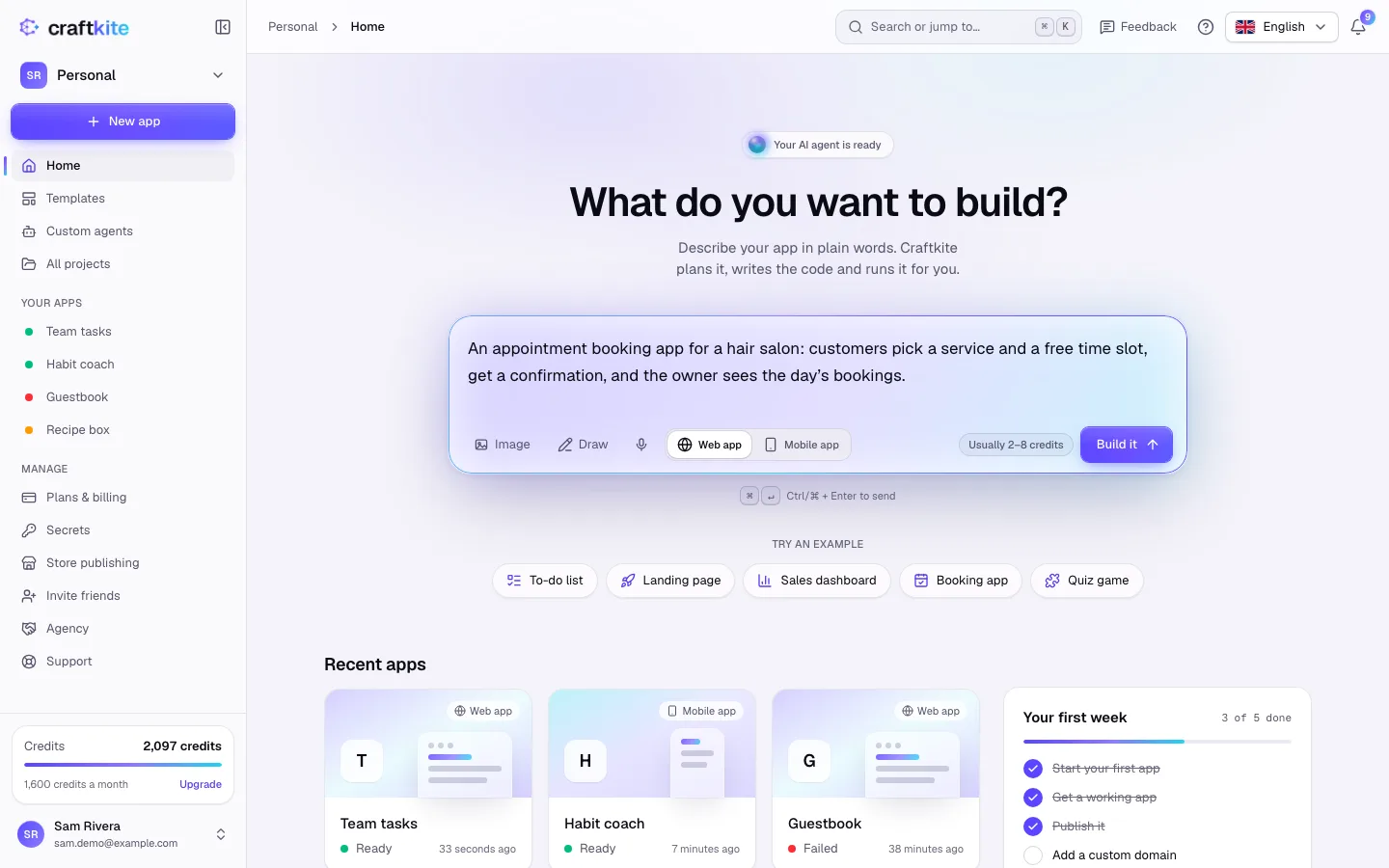
- Open the studio and go to Home. Under What do you want to build?, describe your app: who uses it, the main screens and what people do there. You can also click an example under Try an example.
- Choose Web app or Mobile app. Next to Build it you see how many credits a request like this usually takes.
- Click Build it (or press Ctrl/⌘ + Enter). Craftkite writes a short plan first.
- Read the plan under Review the plan and click Approve and build, or Request changes if something is missing. Nothing is built before you approve.
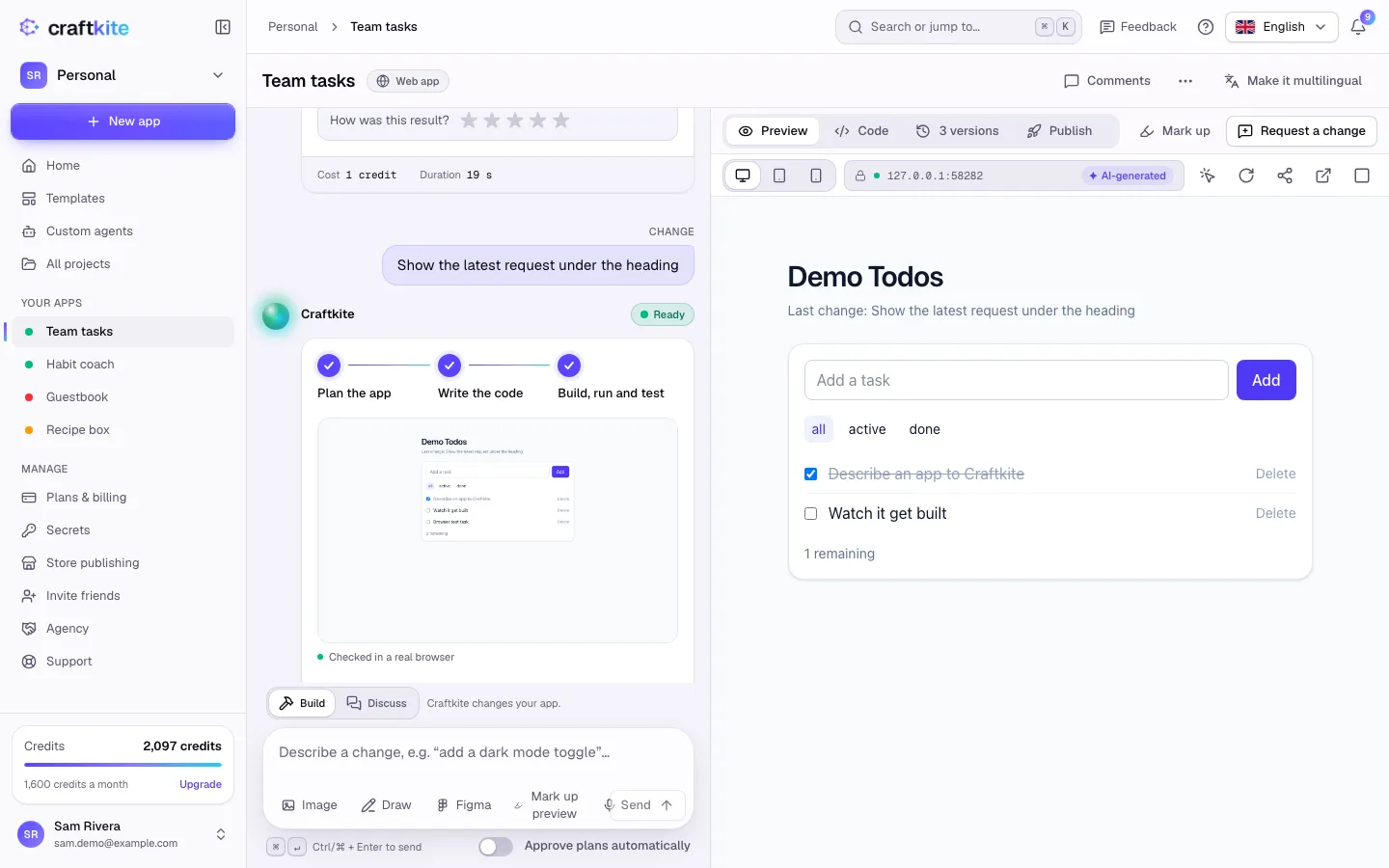
- Watch the progress: Plan the app, Write the code, Build, run and test. Craftkite tests the app in a real browser and fixes problems on its own.
- When the task shows Ready, your app runs in the Preview next to the chat. Try it, then describe the next change in the chat.
Good to know
- Every finished change is saved as a version, so you can always go back.
- If a task fails because of us, its credits are returned automatically.
- Not sure where to start? Pick a template: the template gallery has working apps for many ideas.