
AI penetration test of your app
Let Craftkite attack your app's running preview like an attacker would, see what it found by severity and let the agent fix it.
Updated November 22, 2026
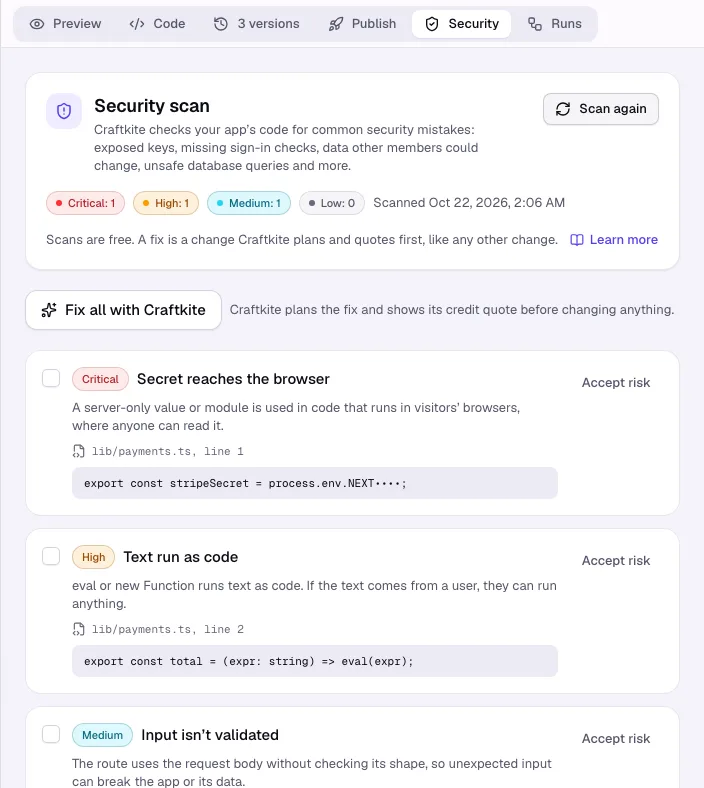
The security scan reads your app's code. The penetration test goes further: it probes the running preview of your app the way an attacker would and reports what actually works.
Run a test
- Open your project and the Security tab.
- Under AI penetration test, click Run test. The test takes about a minute.
- Findings appear by severity (Critical, High, Medium, Low) with the route and the request that showed the problem. Keys are masked.
The price is in the credit table (see How credits work). If the preview cannot be started, nothing is charged.
What it checks
- Routes that change data without signing in, and personal data shown to visitors who are not signed in.
- One member reading, changing or deleting another member's records: Craftkite signs up two test members in your development data and tries.
- SQL injection, cross-site scripting (XSS) and open redirects.
- Secret keys sent to the browser, and private files such as
.envthat can be downloaded. - Missing security headers and sign-in without a rate limit.
Craftkite's AI reads your app's routes to plan realistic requests (for example a valid body to create a record). Tests run against development data only; your live data is never touched.
Fix with the agent
Click Fix with the agent on a finding, or Fix all with the agent. Craftkite turns them into one change request with exact instructions; you approve its plan and credits like any change. Run the test again afterwards to confirm.
Before publishing
When the latest test of the version you publish found a Critical issue, Craftkite asks you to confirm before it goes live, like the security scan does.