
Buy a domain for your app
Search, buy and connect a domain in your own name inside Craftkite, paid with credits, renewed with credits and movable to another registrar any time.
Updated November 23, 2026
On plans with custom domains (the Free plan does not include them) you can buy a domain for a published app without leaving Craftkite. The domain is registered in your name for a year, connected to the app and renewed with credits.
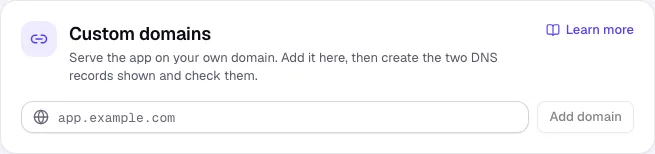
Buy a domain
- Open the app's Publish tab and go to Buy a domain.
- Type a name (
yourbrandoryourbrand.com) and click Search. Each available name shows its price in credits for the first year and what each renewal costs. - Click Buy. A window shows both prices and your balance, and asks for the registrant details: name, organization (optional), address, phone and email. They are filled in from your account, and you can change them.
- Confirm. Craftkite books the whole price from your credits first, then registers the domain.
If your balance does not cover the whole price, the window says how many credits are missing and nothing is charged. Add credits and try again: Craftkite never buys with a partial payment and never puts you in debt. If the registry refuses a name, your credits come back at once.
The domain is added to the app's custom domains. Craftkite sets its DNS records for you: while the registry finishes, the order shows Setting up DNS for this domain — this completes on its own, usually within an hour. HTTPS follows automatically.
The domain is yours
You are the registrant: the domain is registered in your name, with your contact details as registrant, admin and tech contact. WHOIS privacy hides those details in the public WHOIS wherever the ending offers it; you can switch it off in the purchase window. You can move the domain to another registrar at any time with its authorization code (see below).
Renewal
Renew automatically with credits is on by default. A day before the domain expires, Craftkite checks that your balance covers the whole renewal price, books it and then renews the domain for a year. The renewal price is shown with the purchase and next to the domain.
If your balance falls short, nothing is renewed and nothing is charged. Craftkite reminds you 30, 7 and 1 days before the domain expires, in the app and by email, that it lapses unless you add credits. Once you add credits, the renewal happens on its own while automatic renewal is on, or you can renew by hand in the last 60 days. A grace period after the expiry date keeps the domain renewable for a while.
Move a domain to another registrar
- Click Transfer out next to the domain and confirm.
- Copy the authorization code. Craftkite shows it once and does not keep it.
- Start the transfer at your new registrar with the code.
Automatic renewal here stops at once, so no credits are charged for a domain that is leaving. Registries allow a transfer 60 days after registration.