
Restore data to any moment
Bring your app's data back to any second of the last days, preview it on a copy first, then restore with a backup taken automatically.
Updated November 22, 2026
On paid plans every change to your app's database is recorded, so you can bring the data back to any second of the window (7 days by default), not only to the last daily backup.
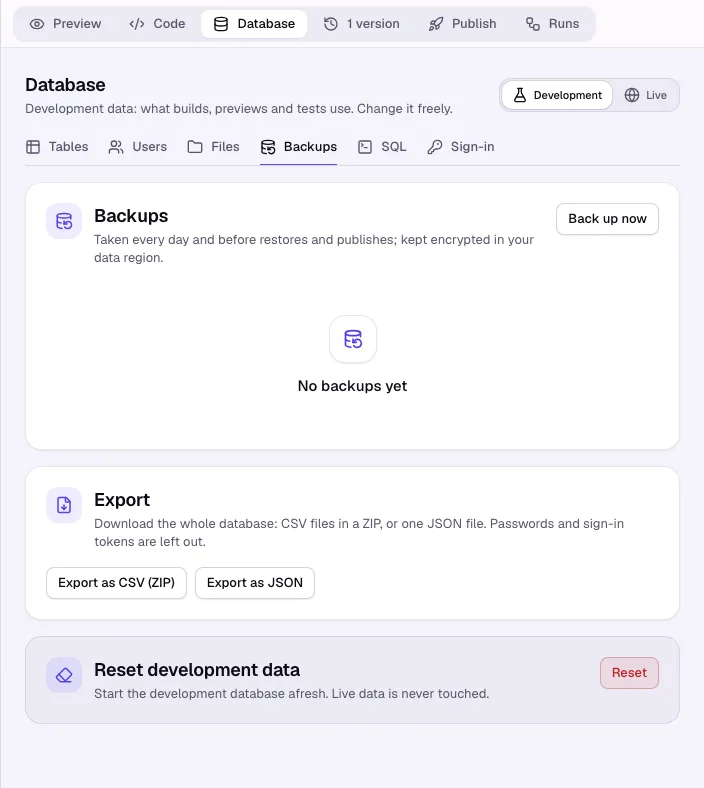
Restore to a moment
- Open the Database tab, choose Development or Live and open Backups.
- Under Point-in-time restore, pick the date and time in Moment to restore to and click Preview this moment.
- Craftkite prepares a separate copy of the data as it was at that moment and shows the rows of each table Rows then and Rows now. Your app keeps using today's data.
- Click Restore live data to this moment (or the development button) and type the confirmation word. A backup of the data as it is now is taken first, so you can always go back.
Discard preview removes the copy without changing anything. A preview is kept for 24 hours.
Good to know
- Changes to the database's structure after the moment (new columns or tables) stay; their data is rewound where it existed.
- Sign-in sessions are not rewound, so nobody is signed out by a restore.
- The window starts when recording began; a table added later can be restored from the moment it was first recorded.
- On the phone, the same section offers moments from 15 minutes to 7 days ago.